


305# Precision Sniper Indicator MT4 MT5 Trading Strategy Guide
Maximo Trader 2026
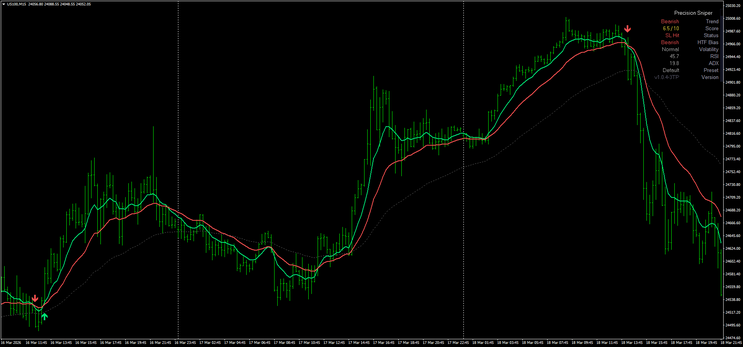
The Precision Sniper indicator for MT4 and MT5 is designed to deliver high precision entries by combining trend detection, momentum, and volatility into a single tool. It follows a sniper-style approach, where trades are taken only when multiple conditions align. One of the main strengths of this indicator is its visual clarity. It provides direct signals on the chart, together with a dynamic dashboard and automatic trade levels, including entry, stop loss, and multiple take profits. This allows traders to focus on execution instead of analysis.
Setup
The indicator can be used on both MT4 and MT5 platforms and adapts well to different trading styles, including scalping, intraday, and swing trading. Lower timeframes such as M1 and M5 are
suitable for fast executions, while M15 and H1 provide more stable intraday setups, and H4 can be used for higher timeframe confirmations. Once installed, the indicator automatically displays a
dashboard on the chart showing important market conditions such as trend direction, RSI, ADX, volatility, and trading status. This information helps the trader quickly understand whether the
market is trending, ranging, or inactive. The system also plots the full trade structure directly on the chart, including entry price, stop loss, and three take profit levels, which are labeled
as TP1, TP2, and TP3.
Buy
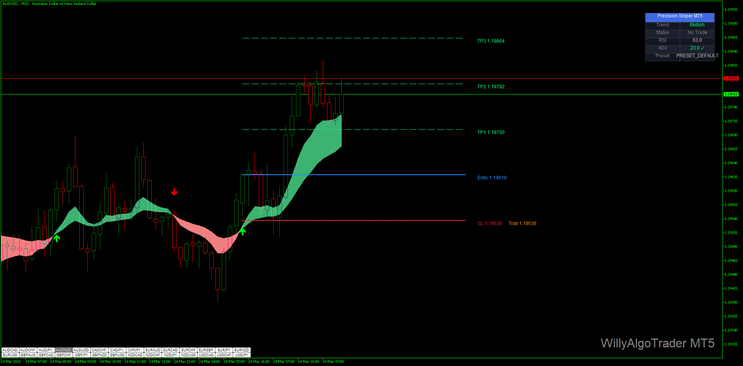
A buy trade is valid when the indicator prints a bullish signal and the dashboard confirms a bullish trend with supportive momentum values. The price should be positioned above the dynamic trend
zone or moving structure shown on the chart, indicating that buyers are in control. At the moment of entry, the indicator automatically defines the trade with a clear entry level, a stop loss
below the structure, and three take profit targets. TP1 represents the first conservative target, where partial profits can be secured. TP2 is a mid-level target, and TP3 is the final extended
target designed to capture the full move. The stop loss is placed below the recent swing low or below the indicator support zone, and in some versions it can trail dynamically as price moves in
favor of the trade.
Sell
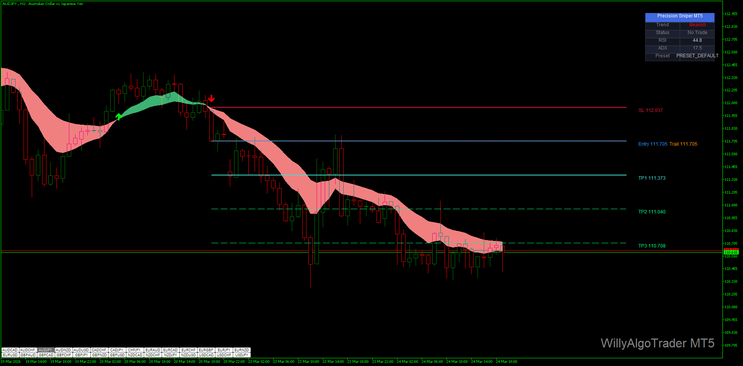
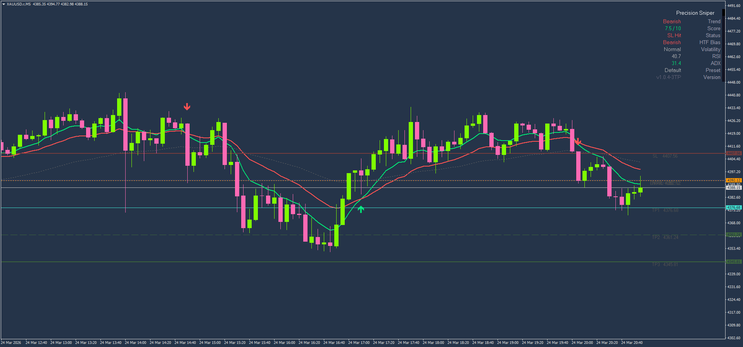
A sell trade is considered when a bearish signal appears and the dashboard confirms a bearish trend with sufficient momentum and volatility. Price should be below the dynamic trend zone, showing
that sellers are in control of the market. The indicator automatically plots the entry, stop loss, and three take profit levels, creating a complete trade plan without manual calculation. TP1 can
be used to secure early profits, TP2 allows further scaling out, and TP3 targets the full bearish movement. The stop loss is positioned above the recent swing high or above the resistance zone
and may adjust dynamically if trailing functionality is active.
Conclusion
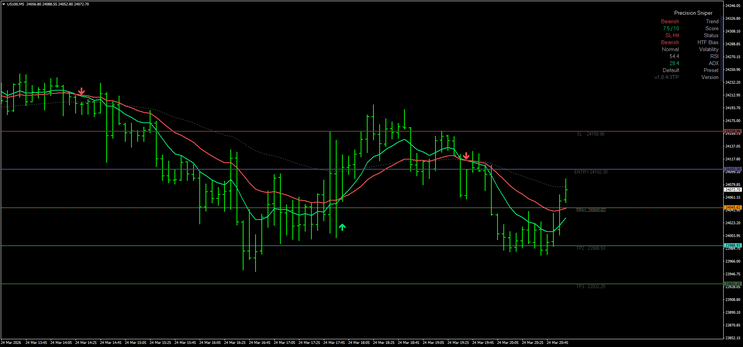
The Precision Sniper indicator for MT4 and MT5 offers a complete trading framework by combining entry signals, market analysis, and trade management into a single system. The integration of a
real-time dashboard, together with automatic stop loss and three take profit levels, makes it especially useful for traders who want structured and disciplined execution. It simplifies
decision-making while still allowing flexibility in trade management. However, consistent results depend on proper risk control, patience, and the ability to follow the system rules without
overtrading. In essence, the indicator provides the full trade map, but the trader remains responsible for execution discipline and long-term consistency.

305# Scalping System with Keltner Channel and CCI.
Keltner Channel Scalping
Submit by Saivenkat3 20/03/2013 (written by Joy22)
Time Frame 15 min.
Currency pairs:any.
Indicator:
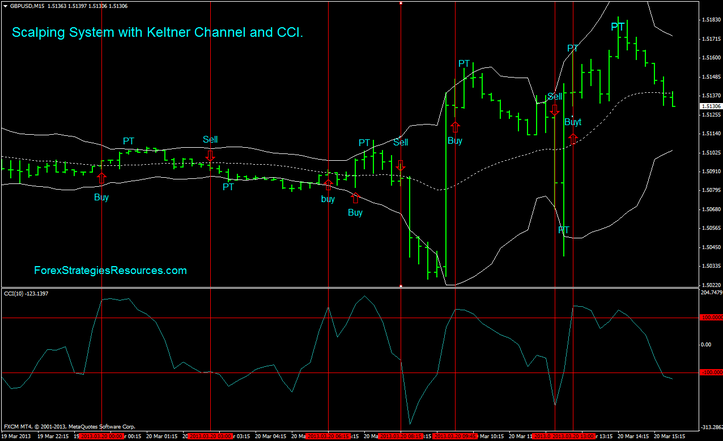
Keltner Channel (setting: MA period 20, MA mode 0, price mode 0, ATR Period 10, K2, ATR mode false);
CCI (10 levels -100, +100).
This strategy is very simple. I like things simple and clear.
Buy
The price close upper midle band the price and CCI breaks 100 level.
Sell
The price close upper midle band the price and CCI breaks 100 level.
Exit position :
for buy with Profit Target 7-12 pips or upper band of Keltner Channel.
Stop loss 10-12 pips below middle band;
for sell Profit Target 7-12 pips or lower band of Keltner Channel.
Stop loss 3 pips above middle band;
Note: Do not Entry if the price Breaks uppper or lover bands before of the CCI indicatot breaks 100 or -100. This is conservative trading method.
scalping system with keltner channnel an CCI Template
This Scalping System is very profitable see picture.
In the picture below Scalping System with Keltner Channel and CCI in action.
Happy Trading
See picture
-
#2
I just backtested on my GU15 chart. Wow it's very simple and accurate. I would set SL for previous high or low or 30 pips for a very high win percentage.
-
#1
Do you mean sell when price closes in lower half of channel as opposed to 'upper middle band', also you say price must also close above 100 as well as the cci. is this a mistake? surely price closes at any price and finally for sell cci must break 100 or -100, as cci will not be above 100 if price is in lower half of band.
KeltnerChannel_v1
Keltner Channel Forex Strategies
Keltner Channels and EMA - Forex Strategies - Forex Resources
Renko with Keltner Channel ATR - Forex Strategies - Forex ...
Keltner Scalping Trading System - Forex Strategies - Forex ...
246# Bollinger Bands and Keltner channels - Forex Strategies ...
Forex Scalping with TMA Bands and Keltener Channel - Forex ...

nedal (Monday, 11 May 2026 23:52)
nedal a want Precision Sniper