


25# Half Trend with Renko Chart MT5
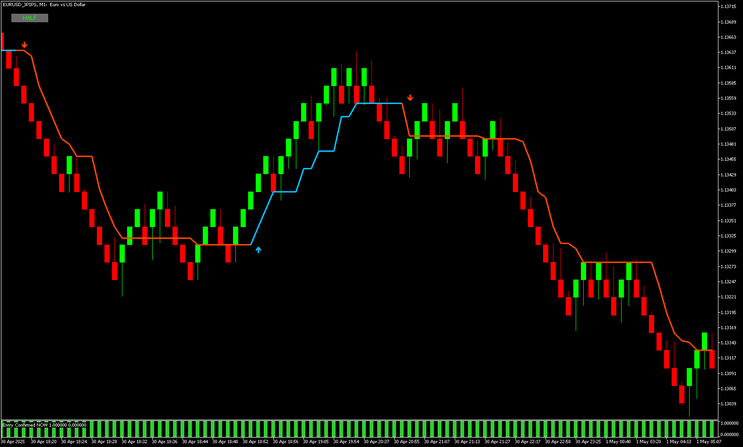
Half Trend with Renko Chart MT5 combines Renko charts with the Half Trend indicator to identify clear trend direction and reduce market noise. Renko focuses only on price movement, while Half Trend highlights trend shifts and possible reversals. The Entry Confirmation indicator is used to validate signals.
Setup
Indicators
Half Trend, period 3.
Entry Confirmation, default settings.
Green equals buy, red equals sell.
How to open a Renko chart in MT5 native method
MetaTrader 5 now supports Renko charts natively, so no external tools are required. Open MT5, go to File, then New Chart or use the chart menu. Select your instrument, for example EURUSD. Choose Renko as chart type. Set the brick size, for example 5 to 10 pips depending on volatility, then open the chart.
In some versions, open a standard chart, use the chart type selector, select Renko, and adjust the box size in settings. Then attach Half Trend and Entry Confirmation indicators.

Strategy rules
Renko bricks define market structure and remove noise. Half Trend shows direction and reversals. Entry Confirmation validates momentum.
Buy setup
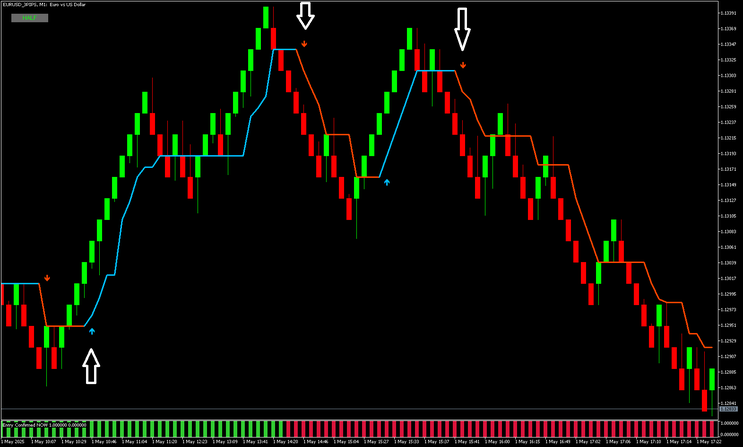
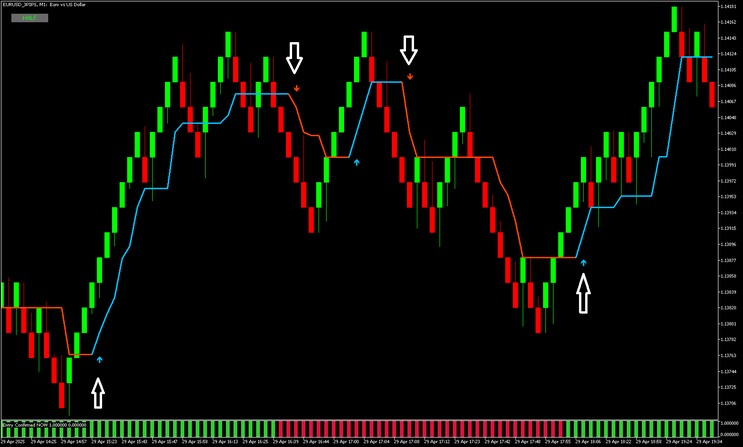
Enter a buy when all conditions are met. Half Trend turns bullish and changes direction upward. A buy arrow appears. Entry Confirmation is green. Renko bricks form higher highs. Optionally, wait for a small pullback. Stop loss below the last swing low. Take profit with a fixed risk reward, for example one to two, or exit on opposite signal.
Sell setup
Enter a sell when all conditions are met. Half Trend turns bearish and changes direction downward. A sell arrow appears. Entry Confirmation is red. Renko bricks form lower lows. Optionally, wait for a small retracement. Stop loss above the last swing high. Take profit with a fixed risk reward, for example one to two, or exit on opposite signal.
Additional notes
Avoid trading during low volatility or major news. Best used on major forex pairs. Adjust Renko brick size based on market conditions. Smaller bricks give more signals, while larger bricks give stronger signals.
Summary
This strategy simplifies price action using Renko, identifies trends with Half Trend, and confirms entries with momentum. It helps reduce false signals and improves timing in trending markets.


25# Renko with MACD
Renko trading
Renko with Macd,t he tools for the trade are:
Renko ea,
slope direction line indicator,
traditional macd.
Currency pairs. Majors,
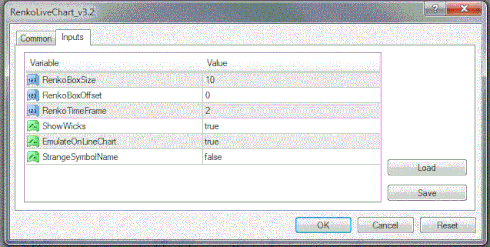
Box size 5-10-14.
Steps to create and trade this system
place the renko ea file into experts
place the Slope Direction line and the traditional macd into experts/indicators
place the template into templates.
Open a M1 chart for the pair you are going to trade, drag the renko ea from navigator/experts onto the chart.
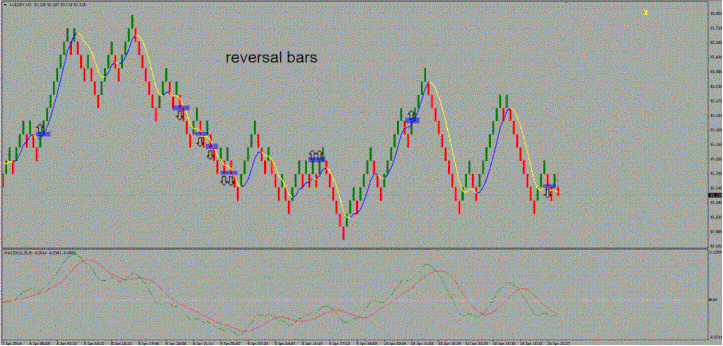
The blue area is the entry point - as close as you can get to the close. As you can see there are 10 possible trades marked , by my rules as I’ll explain further , 5 winners and 4 losses and the last one in progress, as I write it closed at a loss. As you can see it’s not the holy grail and doesn’t catch the turning points in the market but it will keep you out of the majority of small corrections and help trade an already established trend.
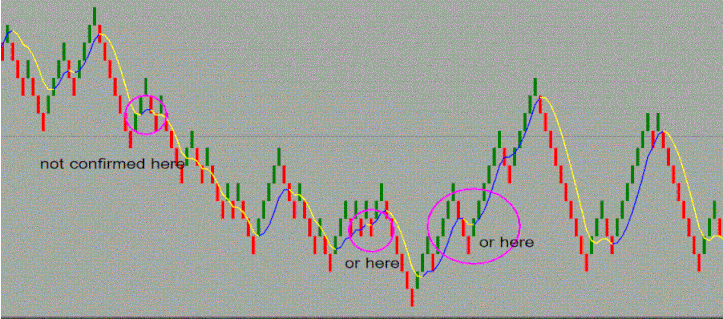
2 nd rule is check the directional slope line is blue after a bar close for longs and yellow for shorts, it doesn’t repaint but can change colour while the current bar is developing so be careful, it has to already have a closed bar on the colour you want to confirm the direction.
The only other indicator I have is the macd , the rule is very simple , for long entries , both lines have to be heading upwards with the green above the red and for shorts, both lines angled down with the green below the red.
Now the reason I listed some as winners and some as losers even though the trade went in your direction for
one or more bars is because I’m looking at a reward for risk of 2 to 1, each trade has a 10 pip stop for a 20 pip arget. You can try different risk to reward ratios, trailing stops, I prefer the set and forget style so this is my
idea for how to trade this method.
This is just something I made up, it’s not a commercial product, it hasn’t been tested properly, I don’t know how to run an offline chart through the strategy tester or even if it can be done?
I haven’t been trading this system as yet although I think it has potential to make good money. I think the only way I would is if someone develops or finds an alert popup, sound and email to the renko ea as is done with other indicators to alert me each time a bar closes. Not knowing if the next bar will close in 10 seconds or 3hrs is something I don’t know if I’m up for, would take a lot of patience. If I could load 10 or even 20 charts and have a pop-up with sound alert to quickly check the pair I’m alerted to I would definitely trade this system.
