


296# Bollingher Bands Breakout with Regression Channel -TradingView-
Dimitri 2025
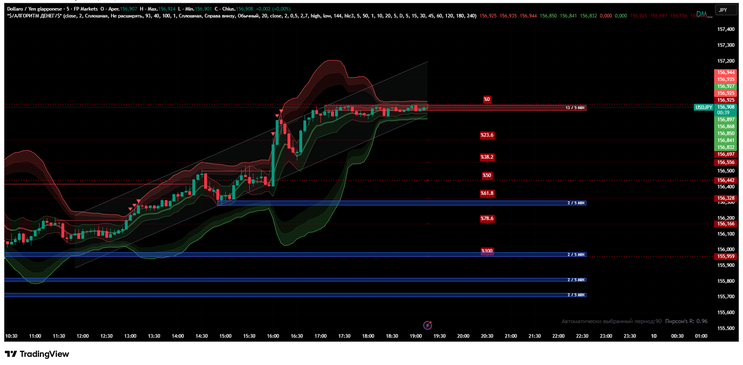
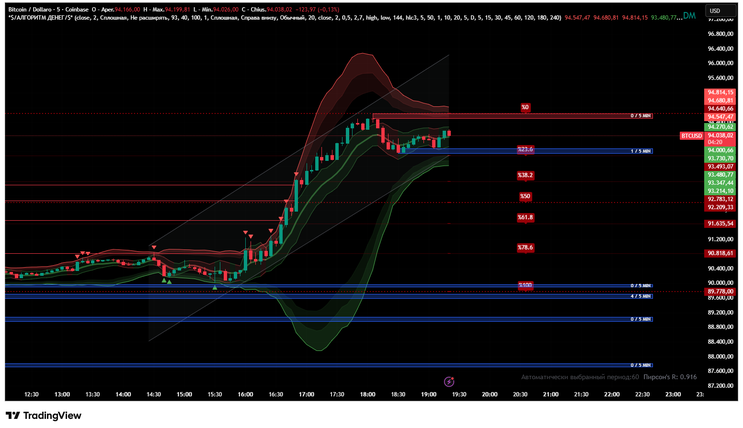
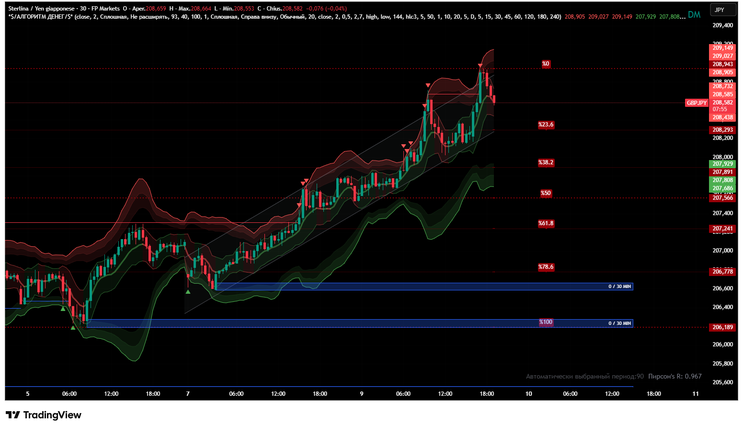
This custom indicator is designed to detect breakout events in price action. Unlike conventional color schemes, it uses red arrows for bullish breakouts and green arrows for bearish breakouts. However, the arrows are only valid when they agree with the regression channel, which acts as the primary filter condition.
Trading Strategy
Entry
-
Long trades: Enter when a red arrow appears and the regression channel is sloping upward.
Short trades: Enter when a green arrow appears and the regression channel is sloping downward.
Stop-Loss
-
Place stops just beyond the opposite regression band or below/above the signal candle’s extreme.
This ensures trades are invalidated if price breaks against the channel.
Take-Profit
-
First target: Midline of the regression channel.
Second target: Opposite band of the channel.
Optional extension: Fibonacci 1.000 or 1.618 levels for trend continuation.
Move stop to breakeven after the first target is reached.
Practical Notes
-
Avoid reversal interpretation: Using arrows as reversal signals generates too many false entries.
Timeframe selection: Higher timeframes (H1, H4) provide more reliable signals; lower timeframes are noisier.
Combine with other tools: Bollinger Bands, Fibonacci retracements, and support/resistance zones can strengthen confirmation.
Conclusion
This breakout indicator is most effective when used with its regression channel filter.
-
🔴 Red = bullish breakout (valid only if slope is upward).
🟢 Green = bearish breakout (valid only if slope is downward).
By respecting the channel slope and trading only in the direction of the prevailing trend, traders can significantly reduce false signals and improve breakout reliability.


296# T3 Snake Trading System
Submit by Paul B. 09/02/2012
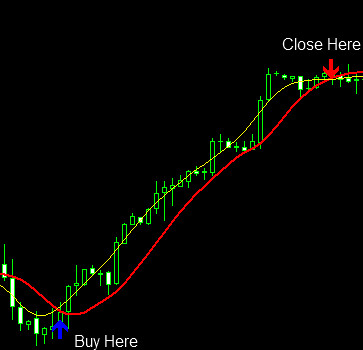
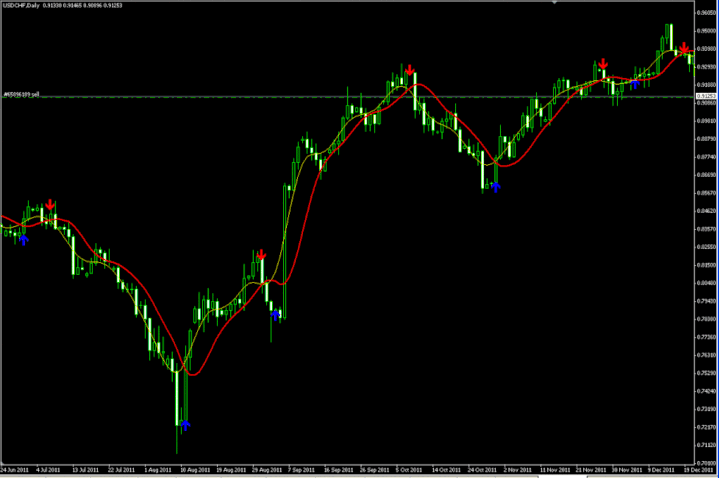
This system relies on crossing “T3-clean” and “snake” (a type of moving averages with different basic calculation) with each period is 13 (lucky number …;- p). Where this indicator if both types of cross then at that point in getting trading signal. To facilitate and ensure you do not miss this important moment then add an indicator unicross that will display in case of crossing Arrow Up and Arrow Down to the top if there is crossing down.
Buy Condition:
1. Green Arrow Appears.
2. Wait for the candle to closed
3. Enter Buy order on the next bar.
4. Close Metatrader4, you can resume other everyday activities as you like. Check price every 4 hours, just observe the price movement ….don’t touch your trade … profit or floating loss … let alone provided it does not appear Arrow Down.
At the time of profit, do lock profits or trailing profit at whatever level you like …. at the end, let your profits run …
5. If it appears Arrow Down and valid until the candle is closed. Close Buy your position on the next candle opening.
Sell Condition:
1. Appears Arrow Down
2. Wait until the candle closed
3. Entry Sell on the next candle.
4. Close Metatrader, you can resume other activities that you like.
Check every 4 hours once, just observe the price movement …. no touch your trade … profit or floating loss … let alone provided it does not appear Arrow Up. At the time of profit, do lock profits or trailing profit at whatever level you like …. at the end, let your profits run …
5. If it appears Arrow Up and valid until the candle is closed. Close Sell your position on the next candle opening.
In the pictures T3 Snake forex system in action.

Trust in the system … there may be times when your trading experience loss, as long as you follow the system, then the risk and reward are still very good.
there is always an easy road … so keep it simple
…

Share your opinion, can help everyone to understand the forex strategy.
-
#8
DO YOU HAVE AN MT5 VERSION?
-
#7
Plz get money
-
#6
Working fine. thank you
-
#5
sir may i get the T3 snake in mobile, pleaed let me know the procedure,
[email protected] -
#4
Can I get the code? because i couldn't open the file.
Is this indicator works on THINKORSW? -
#3
may I ask if The arrow repaint? thank you for replying..... :D
-
#2
i added this given indicator but no arrows coming on charts
-
#1
Works good
